Google Business Profile Suspended? What to Do Next
Google Business Profile suspended? Check possible causes, prepare genuine evidence and find official appeal tools, support links and help with your next steps.
You open your profile to update your shop’s hours. Instead, you see a suspension notice.
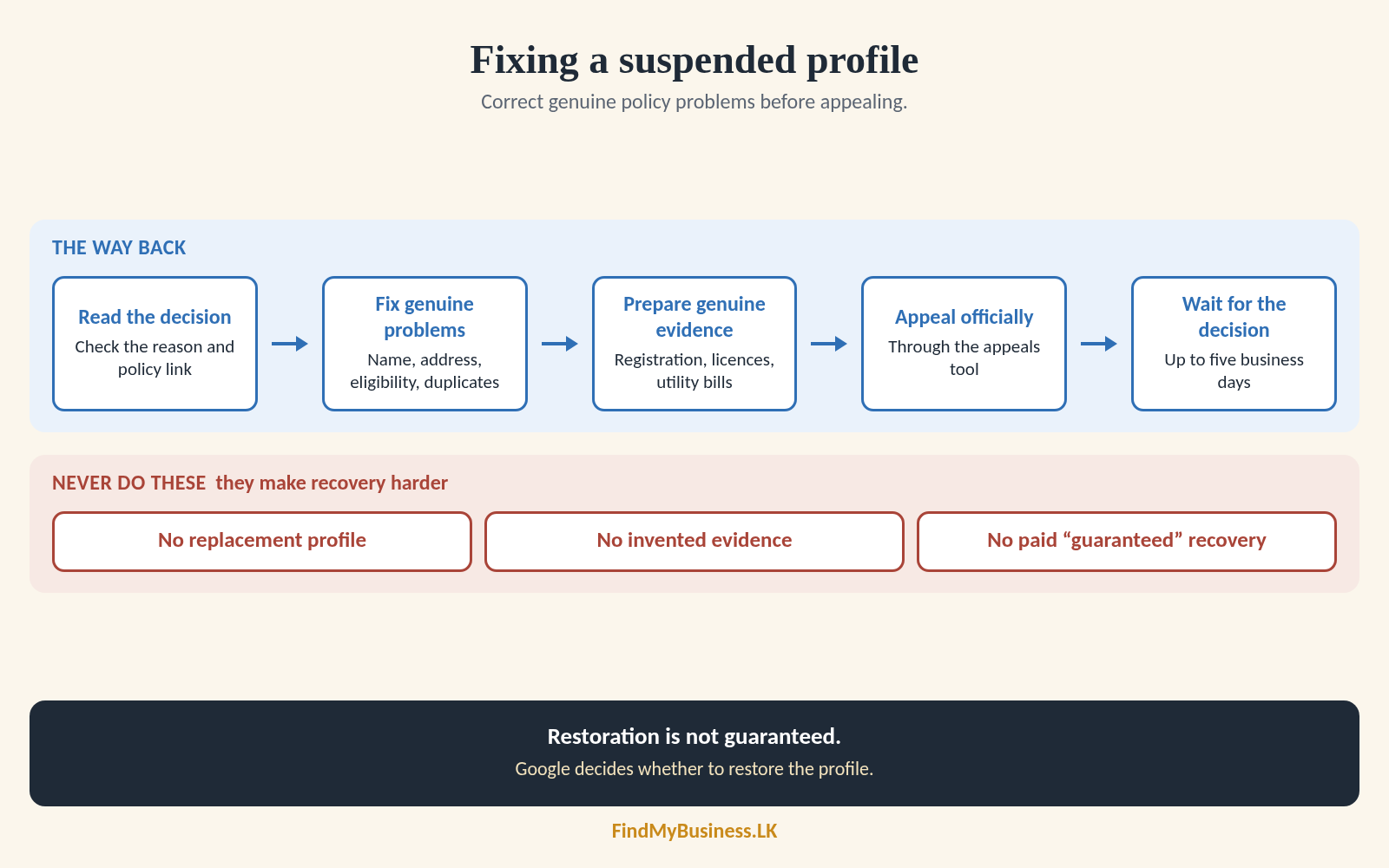
To fix a suspended profile, read Google’s decision first. Check your information, correct policy problems and prepare genuine evidence before appealing. Google decides whether to restore the profile.
1. Which Problem Are You Facing?
| What Google shows | Where to start |
|---|---|
| Profile suspended or disabled | Review the decision and appeal eligibility. |
| Verification required | Follow the verification instructions. See our verification guide. |
| Edit or photo rejected | Use the relevant content-support route. |
| Account restricted | Follow the account notice before addressing resulting profile suspensions. |
If your business is simply difficult to find, start with our guide to businesses not showing on Google Maps.
2. Why Can a Profile Be Suspended?
Google may restrict profiles that breach its rules. Check the reason and policy link shown in the appeals tool.
- Promotional wording added to the real business name.
- An ineligible operation, such as an online-only business without in-person customer contact.
- A rented mailing address where the business does not operate.
- A public storefront address without the required customer-facing operation or permanent signage.
- Duplicate profiles for the same business.
These are checks, not proof of your suspension’s cause. Our eligibility and setup guides explain the requirements.
3. What Should You Expect During Suspension?
A restriction may affect public visibility, management access or both. Read the notice rather than assuming every case works identically.
Customers may be unable to access a removed profile. Account restrictions can also affect multiple profiles.
Watch your associated email and appeal status for instructions. Restoration is not guaranteed.
4. What Should You Prepare?
Google advises checking compliance before appealing.
| Prepare | What to check |
|---|---|
| Profile details | Name, category and location settings reflect the actual operation. |
| Business evidence | Genuine registration, licence, tax certificates or business utility bills, as relevant. |
| Consistency | Document names and addresses match the profile. Explain genuine discrepancies. |
| Short explanation | Describe your operation, corrections and supporting evidence. |
A Business Registration certificate supports your case. It does not establish eligibility alone.
Never alter documents to manufacture a match. Submit private evidence through official forms, not public profile photos.
5. Which Appeal Tool Should You Use?
| Official route | When to use it |
|---|---|
| Business Profile appeals tool | Submit an eligible suspension appeal and check its status. |
| Additional-review form | Request further review after an initial reinstatement appeal is denied. Provide additional relevant evidence. |
| Google Business Profile support | Seek procedural help. Sri Lankan businesses also use support for rejected edits and media restrictions. |
| Google Account page | Follow an account-restriction notice and its appeal instructions. |
For the initial profile appeal, sign in and select the profile and decision. Attach available evidence and submit when ready.
Google advises that appeals can take up to five business days. This is not a guaranteed deadline. Check status and email without submitting repeated appeals while awaiting a decision.
The Help Community offers public advice, not formal reinstatement. Never post private documents there.
Avoid making recovery harder: Do not create a replacement profile, invent evidence or pay for guaranteed recovery. Correct genuine policy issues before submitting.
How Can FindMyBusiness.LK Help?
At FindMyBusiness.LK (FMB), we review the stated restriction and check supplied details for inconsistencies. We organise genuine evidence and help prepare a clear explanation. With your authorisation, we guide submission and follow-up. Google decides reinstatement.
Confirm suspension-assistance scope and charges with us. Our one-off setup packages cover separately described services.
Google Business Profile is free. FMB charges for its setup work and package materials. Google determines verification requirements and approval.
You retain primary ownership of your Business Profile through your own Google account.
Need Help Understanding Your Suspension?
Send us your business name and town or village, the notice and whether you have appealed. Do not send passwords or verification codes.
WhatsApp: +94 77 390 9362
Call: +94 77 390 9362
Website: FindMyBusiness.LK