Why Is My Business Not Showing on Google Maps? What to Check First
Business not showing on Google Maps? Check your verification, profile status and local search visibility before changing details or creating a new listing.
You created a Google Business Profile, but cannot find your business. Is it missing, or are other businesses appearing first?
A missing profile needs different checks from one absent only for "hardware shop near me". Check before changing details or creating another listing.
1. Identify What "Not Showing" Means
Search your business name and town on Search and Maps. Open its link, if available.
| What you find | What to check next |
|---|---|
| Visible by name, not for a service | Check search relevance, distance and local visibility. |
| Public listing unavailable | Check verification, profile messages, restrictions and duplicates. |
| Visible, but you cannot manage it | Check your account and access. See our claiming guide. |
| Wrong location or recent change | Check the map pin, verification and edit status. |
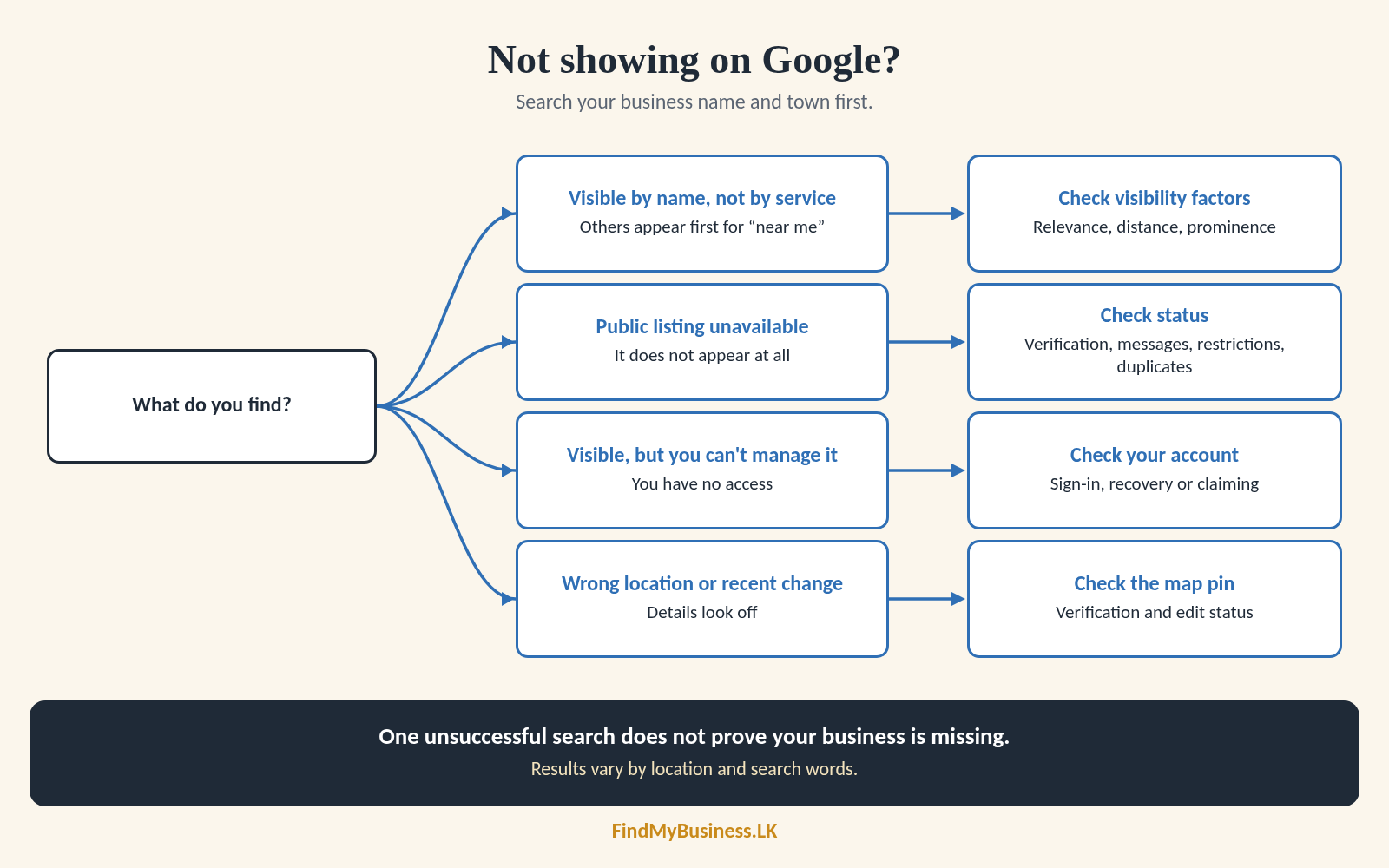
One unsuccessful search does not prove your business is missing. Results vary by location and search words.
2. Check Your Profile Status
Sign in to the linked Google Account. Search your business name or "my business" and read any messages shown.
| Message or situation | Next step |
|---|---|
| Verification requested | Follow Google's instructions. Unverified profiles may not appear publicly. |
| Edit pending | Check its status. Review may take minutes or up to 30 days. |
| New business | Google says rankings can take up to a month. |
| Duplicate, suspended or disabled | Follow Google's resolution or appeal process. Do not create another profile. |
| No management access | Check account recovery or the claim process. |
Search updates may take three days after an edit; this differs from review time. See our verification and claiming guides.
3. Why Can People Find You by Name but Not by Service?
Finding your business by name does not guarantee a prominent position in broader searches. Google says local results mainly depend on:
| Factor | What it means |
|---|---|
| Relevance | How well your profile matches the search. |
| Distance | How far you are from the searcher or searched location. |
| Prominence | How well known your business is, including links and reviews. |
A hardware shop may appear by name but not in searches from another town. Google does not accept payment to improve ranking.
4. Review the Details You Can Improve
Keep your public details accurate and complete:
- Business name and category: Use an accurate name and main activity. See our category guide.
- Address or service area: Match how you serve customers.
- Hours and contact details: Keep them current.
- Services and description: Explain what you offer.
Ask for honest reviews without incentives and reply professionally. Reviews may help prominence, but do not guarantee ranking. Genuine photos help customers recognise your premises.
5. What Should You Avoid?
- Do not create another listing because the first is hard to find.
- Do not add search phrases to your real-world business name.
- Do not invent an address or move the pin to a busier area.
- Do not add unrelated categories, buy reviews or repeat edits to chase visibility.
- Do not pay for a guaranteed first position.
If Google marks your listing as a duplicate, use its resolution process.
6. When Should You Ask for Help?
If profile instructions do not resolve the problem, contact Google Business Profile support. Gather your listing link, status message, search phrase, search location and recent changes.
Support cannot provide a shortcut to higher ranking. Keep information accurate and expectations realistic.
How Can FindMyBusiness.LK Help?
FindMyBusiness.LK (FMB) can help identify an access, verification, restriction or visibility issue. With your written or digital authorisation, we review relevant settings using Google's agency tools and guide next steps.
Agency access does not guarantee higher rankings, reinstatement or priority review. Existing-profile troubleshooting may need separate assistance; contact us to confirm its scope and charges.
See our one-off setup packages at findmybusiness.lk.
Google Business Profile is free. FMB charges for its setup work and package materials. Google determines verification requirements and approval.
We arrange primary ownership through your own Google account so you retain control. Keep passwords and verification codes private.
Cannot Find Your Business on Google?
Send your business name, town or village, listing link, search phrase and any status message. Do not send passwords or verification codes.
WhatsApp: +94 77 390 9362
Call: +94 77 390 9362
Website: FindMyBusiness.LK