Who Can Edit Your Google Business Profile?
Learn who can edit your Google Business Profile, how owner and manager permissions differ, and how to give staff or agencies access while retaining control.

Your assistant needs to update opening hours. An agency offers to manage your profile. Should either receive your Google password?
No. Give authorised people separate profile access. Google Business Profile owner and manager permissions determine what they can do. Public suggestions and Google updates can also change displayed information.
1. Which Role Should You Give Someone?
| Role | Main permissions | Key limit |
|---|---|---|
| Primary owner | Manages information and users; transfers primary ownership. | Only one per profile. |
| Owner | Edits information and manages users. | Does not automatically become primary owner. |
| Manager | Edits details, manages posts and photos, and replies to reviews. | Cannot manage users or remove the profile. |
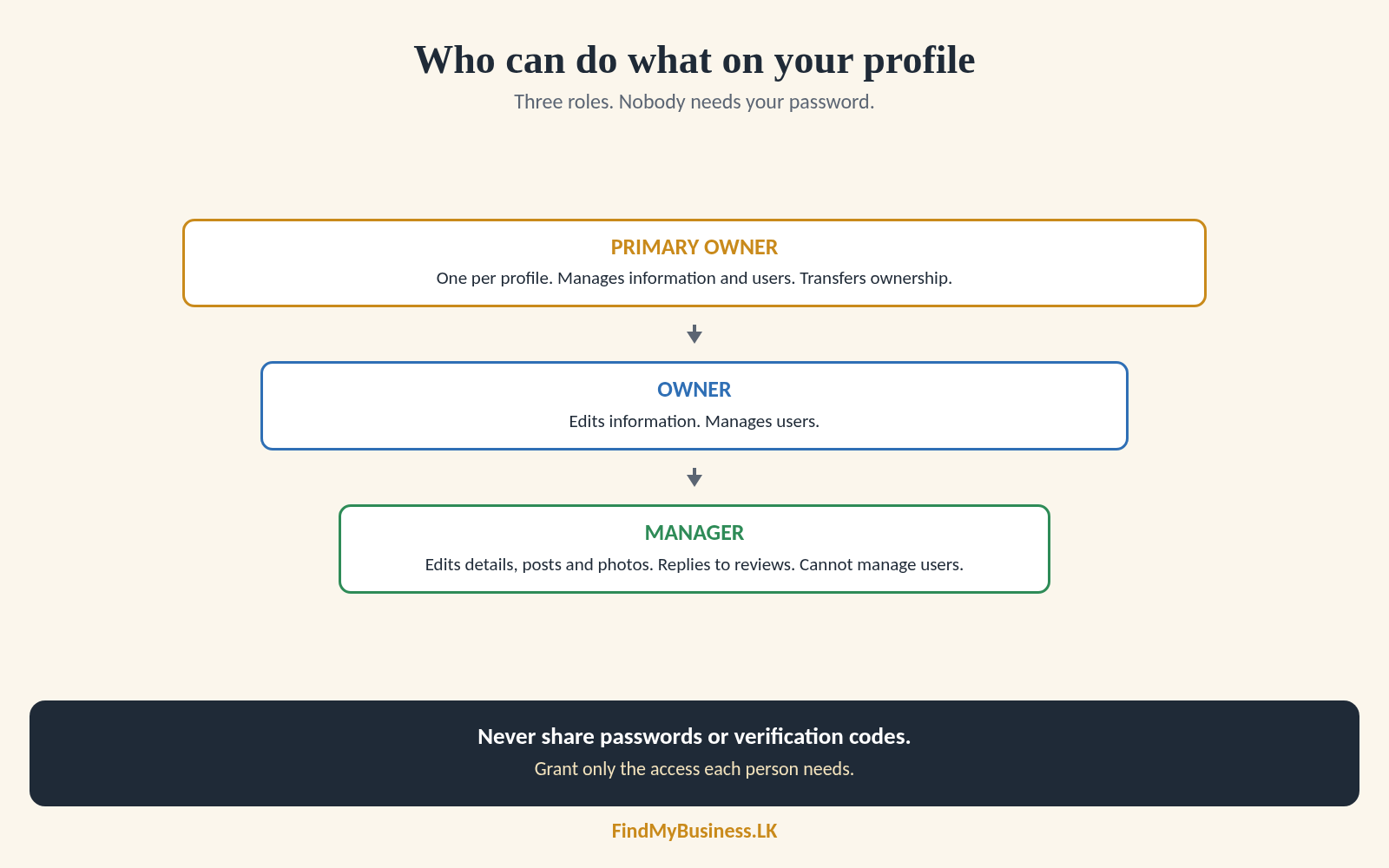
A profile can have multiple owners. Primary ownership does not mean sole ownership. All users remain subject to Google’s rules.
Manager access includes changing your name, address and phone number. Agree which changes require approval. Staff handling daily updates usually need manager access, not ownership.
2. How Do You Add a Manager?
To add a manager to your Google Business Profile:
Sign in as an owner and open your profile.
Select More → Business Profile settings → People and access.
Select Add and enter the email associated with the person’s Google account.
Choose Manager or Owner, according to their responsibilities.
Select Invite. The recipient must accept.
Check the email address carefully. A Google account does not have to use Gmail.
New owners and managers face a seven-day restriction on certain actions, including ownership transfers and removing users. This does not block all routine editing.
Adding a user does not verify a profile or remove a suspension.
3. What Access Does an Agency Have?
An agency is a service provider, not a separate permission level. Without access, it can advise while you make changes. With manager access, it can handle substantial daily work. Owner access grants broader administrative control.
An agency organisation account helps organise client profiles and team access. It does not override assigned permissions.
Employees and agencies with the same role have comparable editing powers. Manager access lets an agency handle day-to-day work without ownership. Agree responsibilities, approvals and how long access should remain.
4. What Information Can a Manager Access?
These boundaries apply when you grant Business Profile permissions only:
| Access can include | It does not grant access to |
|---|---|
| Business details, posts and profile media | Your personal Gmail inbox |
| Customer reviews and response tools | Your private Drive files |
| Profile performance information | Your private Google Photos library |
| Profile users’ names and email addresses | Your Google account password |
Never share passwords or verification codes. Grant only necessary access.
5. Why Did Your Details Change Without You?
People can suggest corrections through Maps. Google also uses other sources and may apply updates without your prior review. This does not automatically indicate account compromise.
Check authorised users and available update notices. Correct inaccurate details through your profile. If problems persist, contact Google Business Profile support.
Public suggestions do not grant ownership or management access.
6. What Should You Check When Someone Leaves?
Open People and access. Check current users, pending invitations and former staff or agencies. Confirm that your business retains primary ownership.
Where authorised, select the person and choose Remove person. Waiting restrictions may apply. Previous posts and review replies generally remain.
If you cannot access the profile, follow our claiming and ownership-request guide.
How Can FindMyBusiness.LK Help?
At FindMyBusiness.LK (FMB), we explain permissions and help arrange appropriate agency access. With written or digital authorisation, we complete agreed work using Google’s agency tools.
See our one-off setup packages. Confirm existing-profile assistance scope and charges separately.
Google Business Profile is free. FMB charges for its setup work and package materials. Google determines verification requirements and approval.
You retain primary ownership through your own Google account.
Need Help Checking Profile Access?
Send us your business name and town or village, and explain the help needed. Do not send passwords or verification codes.
WhatsApp: +94 77 390 9362
Call: +94 77 390 9362
Website: FindMyBusiness.LK